Why Your Phone Battery is Draining Fast and How to Fix It
Find out what is draining your phone battery so fast, from apps and screen brightness to an aging battery, and the quick settings that make it last longer.

The short answer
Your phone battery drains fast because of screen brightness, apps running in the background, a weak network signal, heat, or an aging battery. Check the battery usage screen to find the cause, then adjust settings or replace a worn battery.
Key takeaways
- The screen is one of the biggest battery users, so lower brightness and shorten the screen timeout.
- The battery usage screen in Settings shows exactly which apps drain the most power.
- A weak network signal and heat both make your phone use more power.
- Batteries wear out with age, and a worn battery is the most common cause of drain that keeps getting worse.
- Use good-quality chargers and keep your software updated to protect battery health.
In this article
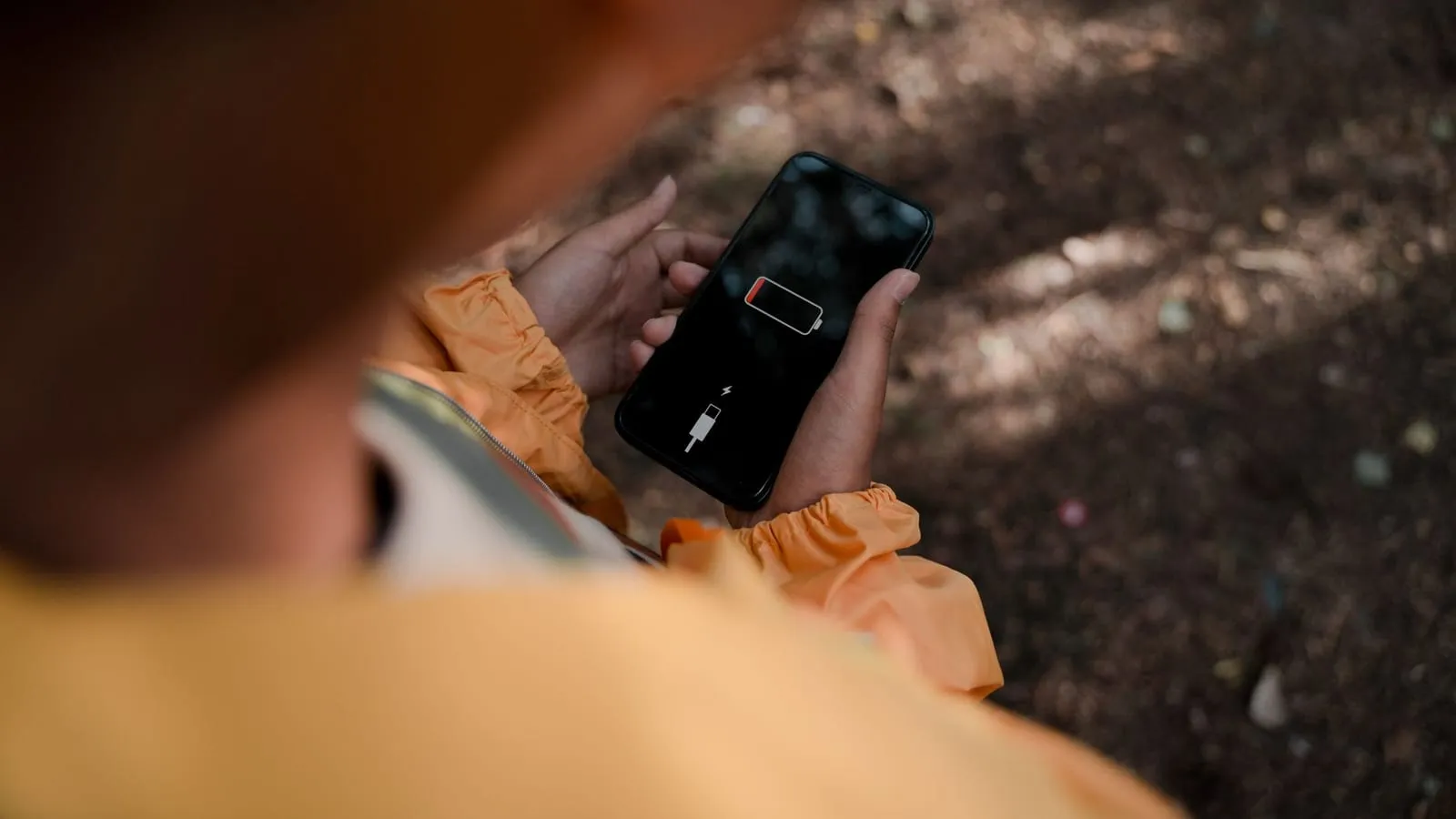
If your phone battery is draining fast, the cause is usually app activity, screen settings, a weak signal, heat, or simply an older battery. Phone batteries are lithium-ion and wear out over time, and how you use your phone has a big effect on how long each charge lasts. The good news is that a few checks will usually show you exactly what is going on.
Quick Fixes for Fast Battery Drain
Start with these. They solve most battery problems on both iPhone and Android.
- Find the culprit. Open Settings > Battery and see which apps used the most power. Close, update or delete the worst ones.
- Lower screen brightness and turn on automatic brightness. The screen is usually the biggest power user.
- Turn on Low Power Mode (iPhone) or Battery Saver (Android) when you need the charge to last.
- Limit background activity for apps you rarely use, and turn off location access for apps that don’t need it.
- Update your phone and apps. Updates often fix bugs that drain the battery.
- Check battery health. On iPhone go to Settings > Battery > Battery Health. A low maximum capacity or a service message means the battery itself is worn and may need replacing.
What Is Draining Your Battery?
Fast drain usually follows one of a few patterns. Matching yours saves you from changing settings that don’t matter.
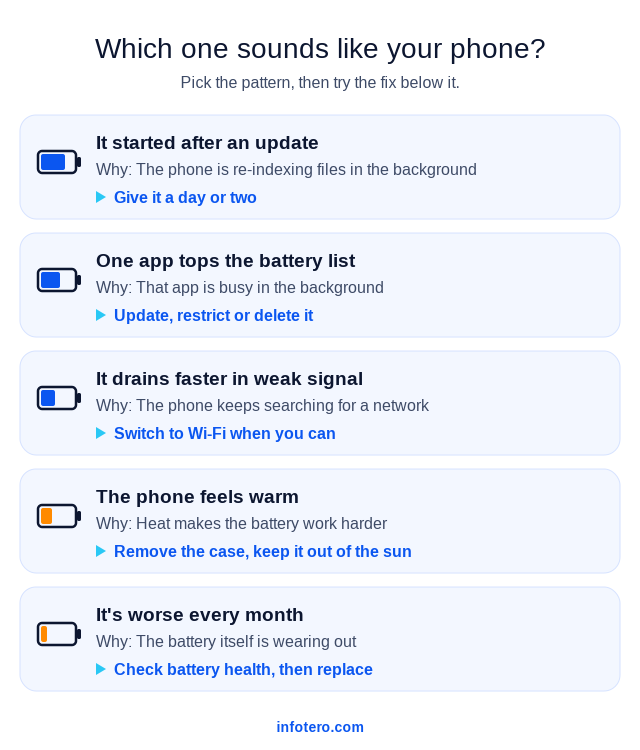
How to Check Which Apps Use the Most Battery
Both iPhone and Android show battery use by app:
- iPhone: Go to Settings > Battery. Scroll down to see each app’s share of battery use over the last 24 hours or 10 days.
- Android: Go to Settings > Battery and open the battery usage screen. It shows the percentage each app used over the last 24 hours.
If one app uses far more than the rest, close it, force stop it, or check for an update. If it keeps happening, uninstall it.
Apps That Consume the Most Battery
Some apps use much more power than others. Social media apps such as Facebook, Instagram, Snapchat, YouTube and WhatsApp are among the biggest drains, because they run many features in the background. Dating apps such as Bumble and Tinder are heavy users too.
Streaming apps like YouTube or Spotify drain the battery quickly, especially when they keep running in the background. Apps that use your location often, such as ride-hailing and map apps, also add up. As a rule, the more apps you have running at once, the faster the battery goes.
Settings and Conditions That Drain Power
The screen. It is one of the biggest power users, and high brightness uses even more.
Wireless features. Wi-Fi, Bluetooth, location services, automatic updates and constant notifications all use power when left on.
Weak signal. When your phone keeps searching for a network, it uses more battery. A stable Wi-Fi connection is usually more efficient than mobile data in a building with weak cell service. If your phone loses signal completely, see why your phone shows SOS.
Heat. High temperatures make the battery drain faster. This happens in a hot car or when heavy apps like games make the phone warm.
Why Batteries Wear Out Over Time
Phone batteries have two main layers, one of lithium cobalt oxide and one of graphite. Using the phone moves lithium ions from the graphite to the lithium cobalt oxide, releasing energy, and charging moves them back. Each cycle causes a little wear, and if too many ions are pulled out, the structure gets damaged.
To slow this down, manufacturers only let you use part of the battery’s chemistry. A full charge cycle typically uses only about half of the available lithium. So even at 100%, some capacity is held back on purpose to make the battery last longer.
A phone battery usually works best for about 2 to 3 years. After that, you will likely notice it draining faster, and heat speeds up the wear.
Charging Habits and Battery Health
Use good chargers. Cheap chargers that don’t regulate current or voltage properly can stress the battery and make the phone heat up, which drains it faster. Stick to the manufacturer’s charger or a certified one.
Airplane mode while charging barely helps. It lowers the phone’s workload, but a 2014 test found it shortened charging time by only about four minutes.
Overnight charging is fine on modern phones. Optimized Battery Charging on iPhone and Adaptive Charging on many Android phones slow down near 100% to reduce wear.
Steps to Improve Your Phone’s Battery Life
- Adjust your screen. Lower brightness and use a shorter screen timeout. Dark mode also cuts the power needed to light the screen.
- Use power-saving modes. Battery Saver or Extreme Battery Saver pauses apps, turns off some features and slows processes to save power.
- Turn off what you aren’t using. Switch off mobile data, Wi-Fi, Bluetooth and location when you don’t need them.
- Restart your phone. A restart can clear a stuck process that is draining power.
- Keep everything updated. Install system and app updates, which often fix battery bugs.
- Replace a worn battery. If the battery still drains quickly after all of this, it is probably worn out and needs replacing. Back up your phone before you hand it in for repair.
Related reading on Infotero: Why Is My Android Phone Charging So Slowly? and Why Is My Phone So Slow? Common Reasons and How to Fix Them.
Frequently asked questions
Why is my battery draining so fast after an update?
After a big update your phone re-indexes photos, files and apps in the background for a day or two, which uses extra power. If the drain continues after that, check the battery usage screen for a misbehaving app.
How can I check which apps are using the most battery?
On iPhone, go to Settings > Battery. On Android, go to Settings > Battery and open battery usage. Both screens show how much power each app used, so you can spot the worst ones.
Do social media apps really drain my battery more?
Yes. Social media apps such as Facebook, Instagram and YouTube are among the heaviest battery users because they run many features in the background. Dating apps are also common battery drains.
Is it bad to charge my phone overnight?
Modern phones manage charging to protect the battery. Features like Optimized Battery Charging on iPhone and Adaptive Charging on many Android phones slow charging near full to reduce wear.
Does dark mode save battery?
Yes, dark mode can reduce battery use because the screen needs less power to light up, especially on phones with OLED displays.
When should I replace my phone battery?
If the battery drains fast even after you fix your settings, and the battery health screen shows a low maximum capacity or a service message, the battery is likely worn and worth replacing.
Sources
Facts in this article were checked against these sources. Spotted an error? Report a correction.
- 1
- 2
- 3
- 4
- 5
- 6